Perfect AppLock(App Protector) download for android 11 (Red Velvet Cake)
APK file Perfect AppLock 8.1.1 compatible with Android 11How to install APK / APKS / OBB file on Android

★ Google TOP 20 application.
** All Features of FREE version are same as Pro version! (no limit!) **
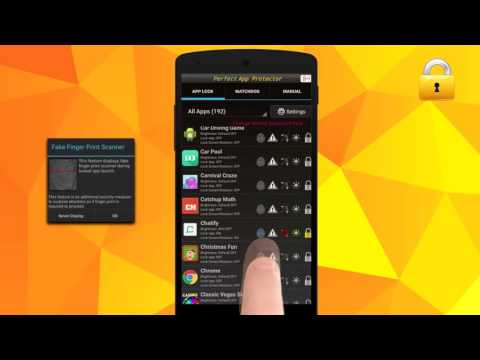
Perfect AppLock! lets you protect any applications you want with PIN, Pattern or Gesture. You can lock: Whatsapp, Facebook, Twitter, Skype, SMS, Email, Gallery, Camera, USB connection, Settings and any apps you choose.
Like us ? Hit the +1 button.
* FREE version (version w/ ads)
# Features
1. Lock any apps by using pin,pattern or gesture.
2. Screen Filter support: Effectively manage screen brightness of individual apps
3. Rotation Lock support: Prevents unwanted screen rotation on each apps
4. Watchdog : After 3rd failed password attempt, built-in camera takes photo of attacker.
5. Lock WiFi, 3G data, Bluetooth, Sync, USB (MTP is not supported)
6. Lock Home Screen, Lock Outgoing Calls, Lock Incoming Calls, Lock App Install/Uninstall
7. Time, WiFi based locking policy supported.
8. Fake Popup : Displays fake error message when locked app is launched.
9. Minimum resource used.
10. Remotely start AppLock service using SMS command.
11. Gesture, Pin, Pattern, Text password supported.
Permissions
- Call permission : for Stealth Mode feature. (Stealth Mode hides a launch icon)
- SMS permission : for Remote Control feature (You can start AppLock service via SMS)
- Take Picture permission : for WatchDog feature
* AppLock Service restarting is required after each updates
* 'Phone calls' permission is required for Stealth Mode
* If you have two or more launcher, you must select one as default
* Perfect AppLock does not support smaller screen sized phones such as HTC wildfire
* If you need bulk purchasing (100 - 200 copies or more), please contact us via email. We will send execution AppLock file (apk) once payment transaction is completed using Paypal. AppLock apk file allows simple installation on many devices.
* If you would like to support in translating (Eng to your language) this app, feel free to contact us. Also, please let us know if there are any incorrect English use on our AppLock.
** Android 5.1.1 Lollipop 100% Compatibility.
** This app uses the Device Administrator permission.
- LicenseFree
- File namePerfect AppLock
- File Version8.1.1
- Package namecom.morrison.applocklite
- Size10.68 MB
- UploadedMarch 21, 2024
- Android4.4 or later
- CategoryTools
- DeveloperMorrison Software
- Developer site
- Developer emailmorrison.android.software@gmail.com
- md5 hashe18c6a0423a510c3b1a89c06bd1203bc
- Architecture-
- Permissionsshow (27)